
Note: Do *not* send them in an email!
So, you’ve followed the suggested guidelines and created a long, complex password for one of your accounts. But now you need to share the credentials with a colleague, or your IT support provider. How can you send the username and password and feel safe about they won’t be leaked to nefarious actors?
In today’s interconnected world, sharing information online is a daily occurrence. However, when it comes to sensitive data like login credentials (usernames and passwords), a casual approach can lead to serious security risks. Let this article be a crucial reminder to never send credentials together over insecure channels and to adopt safer practices to protect yourself.
More Info:

NOTE: In addition to the dangers listed in the article below, even if your messages are not intercepted, if you leave them in your email or text message chain after sending and/or receiving them, they are available to hackers if your account is breached in the future.
Imagine: you receive credentials to an important account in an email today and start using them. You forget about the email, and six months from now your email account is breached. You change the password to your email account and everything seems fine again. However, the hacker has downloaded your mailbox and even though they no longer have access to your email account, they can go through your messages and find the one with your important account credentials.
The Danger of Insecure Transmission
Imagine leaving your house keys under the doormat – and taping a message to the door addressed to your friend telling them where they are. That’s essentially what happens when you send your username and password via unencrypted methods. Here’s why it’s a major security hazard:
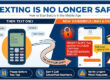
- Email: Standard email is like sending a postcard. It’s not encrypted, meaning anyone who is able to intercept the email could read your credentials. This includes cybercriminals, malicious insiders, or even automated bots scanning for sensitive information.
Note: this includes storing credentials in plain text files, word documents, or unencrypted spreadsheets that are then emailed. If someone can intercept your email, they can also intercept your attached documents.
- Text Messaging: Most messaging apps offer little or no encryption. More importantly, these conversations are often stored on servers or accessible on multiple devices, creating a persistent record that can be compromised if an account is breached or a device is lost.
The bottom line: Either of these methods alone is insecure and sending your credentials over only one of them poses a significant risk of interception and misuse.
Safer Ways to Share Credentials
Over the phone: The most secure and recommended way to share login details is over the phone. Call the recipient, confirm you are speaking with the correct person, and tell them the credentials. Ideally, they will enter them into their password manager immediately and not write them down somewhere.
Split the credentials: Alternatively, you can send the credentials using both of the methods above. Send the username by email, with an explanation, and indicate that you will be texting them the password “with no context”. The chance is not null that a hacker can intercept an email message and/or a text message, but the chance that they will be able to intercept both for this particular communication is practically nill. The importance of texting the password “with no context” is that you don’t want someone who is able to access your texts to figure out what account the password goes to. This would eliminate the security of splitting the credentials between the two methods.
Delete the text after sending and receiving
To be even safer, both the sender and the receiver should delete the text after the communication. Don’t leave the text in your chain. Store the information where you normally save passwords (ideally in a password manager) and then delete the text.
By adopting these secure practices, you can significantly reduce the risk of your sensitive credentials falling into the wrong hands and help maintain a safer online environment for yourself and others. Stay vigilant, stay secure!
If you have questions about this, please let us know and we will be happy to assist you.
Take care,