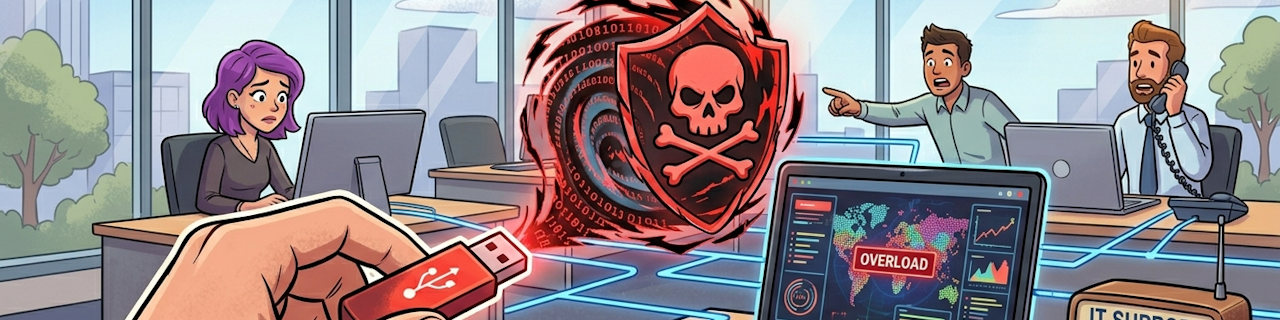
Beware of the “Free” Gift: Why That Found USB is a Security Landmine
In the IT world, we often talk about firewalls, complex passwords, and encryption. But sometimes, the biggest threat to your business isn’t a sophisticated hacker halfway across the globe—it’s a small piece of plastic left on the sidewalk or offered at a tradeshow or handed to you by an unwitting client.
Often referred to under the cute-sounding name, Rubber Ducky, malicious USB drives can almost instantaneously and silently extract or encrypt your data. As a trusted member of your organization, you want to keep your data safe. That starts with one golden rule:
Never plug an untrusted USB drive into your computer.
More Info:
FBI Warns US Companies to Avoid Malicious USB Devices
Cyberreason.com
Small Devices, Big Risk
Crowdstrike.com
Why Adam Savage Won’t Trust USB Keys
Youtube.com

What to do if you’ve already plugged one in?
Don’t panic but act fast.
1. Unplug the drive immediately.
2. Disconnect your computer from the Wi-Fi/Ethernet.
3. Shut down the computer.
4. Call your IT support provider right away.
Your IT support provider should be able to run scans on your computer to see what damage may have been done.
What is the danger?
In addition to being almost impossible to detect, such a malicious drive can also be incredibly fast!
- Auto-Start: Your computer can be configured, for your convenience, to auto-start a program residing on inserted USB drives. You may have seen popups asking you what to do with the drive when you plug one in. Assuming there were no malicious drives, this might be convenient for you to save a few steps. Malicious actors, discovered this path a long time ago, so many computers now block the auto-start. Some even block recognizing USB storage drives altogether. Unfortunately, this no longer keeps you safe.
- Keyboard Spoofing: Modern malicious USB devices like the Rubber Ducky don’t act like storage drives. They trick your computer into thinking they are a keyboard. The moment you plug it in, the device “types” thousands of commands per second—disabling your antivirus, stealing your passwords, and opening a “backdoor” for hackers—all before you even realize anything is happening. The “smart” ones don’t allow any popup messages while these actions are performed, giving you no clue that all of this is happening.
- Permissions: Since “YOU” plugged in the USB drive, its malicious payload runs under “YOUR” permissions. This means it can do practically anything you can do on the computer.
- USB Cables: Even cables can be malicious, since the technology to spoof a keyboard can be embedded in the plug to perform the same devious activity. This means that borrowing an innocent looking USB cable (to convert from USB-A to USB-C, for instance), can lead to trouble.
The Evolution of the “USB Drop”
You might think, “I’ll just see what’s on it and then format it.” Or perhaps you are trying to be kind and identify the owner in order to return the drive you found. Unfortunately, by the time you see the files, it’s already too late. In 2026, USB attacks have become incredibly sophisticated:
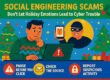
- The “Social Engineering” Trap: Attackers are getting creative. We’ve seen cases where USB drives are mailed in professional-looking packaging disguised as “promotional gifts” or “confidential employee surveys.”
- Worm Propagation: Sophisticated malware (like the recent USBFect campaigns) is designed to spread silently. If one person plugs in an infected drive, the malware can automatically jump to every other USB drive used in that office, creating a viral outbreak across your entire network.
Real-World Consequences
A single “curiosity check” of a USB drive can lead to:
✅ 1. Ransomware:
The files on your entire server are locked down, and your business stops.
✅ 2. Data Exfiltration:
Your client lists, financial records, and private emails are uploaded to a dark-web server.
✅ 3. Financial Espionage
Specialized “keyloggers” can record every stroke you type, including your banking logins.
How can you protect yourself?
Unfortunately, there is no practical way to look at a USB drive or USB cable to determine if it is malicious. There is no serial number or pin configuration to check to be sure. The malicious USB devices can look identical to benign ones. Therefore, you have to assume that every device you don’t purchase yourself from a reputable company or receive from your organization, is potentially malicious.
- Trust Nothing Found: If you find a USB drive in a parking lot, a conference room, or even in your mailbox, do not use it. Turn it over to our IT team for safe disposal.
- Apply a sticker: Apply a sticker or some other uniquely identifying mark to your trusted USB devices so you can tell them apart from those belonging to others.
- Look for warning signs: This is *not* a fool-proof way to identify malicious devices but look for logos that don’t seem right. If they were produced cheaply, the items may not look like “real” ones.
- Purchase reputable brands: Amazon is full of brands you can’t pronounce, produced and sold cheaply. Brands you should be able to trust include Anker, Apple, Belkin & Ugreen.
- Use Cloud Sharing: Instead of passing physical drives around the office, use our secure cloud storage solutions. It’s faster, tracked, and scanned for viruses automatically.
- Company-Issued Only: Only use USB drives that have been purchased and vetted by the company. If you need a new one, just ask!
- Don’t Trust Clients’ devices: Just because you trust the person does not mean that you can trust their USB drive. They may be unknowingly handing you their files on a malicious drive. Instead, ask them to upload the data to a cloud site, or email it to you.
Final Thought
This is one of those situations where you are being advised to do something to protect yourself from a danger that you may very well never face. You may be one of the lucky people who never encounter a malicious USB device, yet you would be making your life harder by dealing with cloud services and rejecting USB devices from colleagues and clients.
However, you have to weigh the potential danger against the cost of staying safe. I can assure you that the people who have bet wrong and have been affected by a malicious USB drive would give quite a lot to go back in time and act safely. In this case, the danger has an even higher cost. Choose wisely.
If you have questions about this, please let us know and we will be happy to assist you.
Take care,